申请渠道: 支付宝
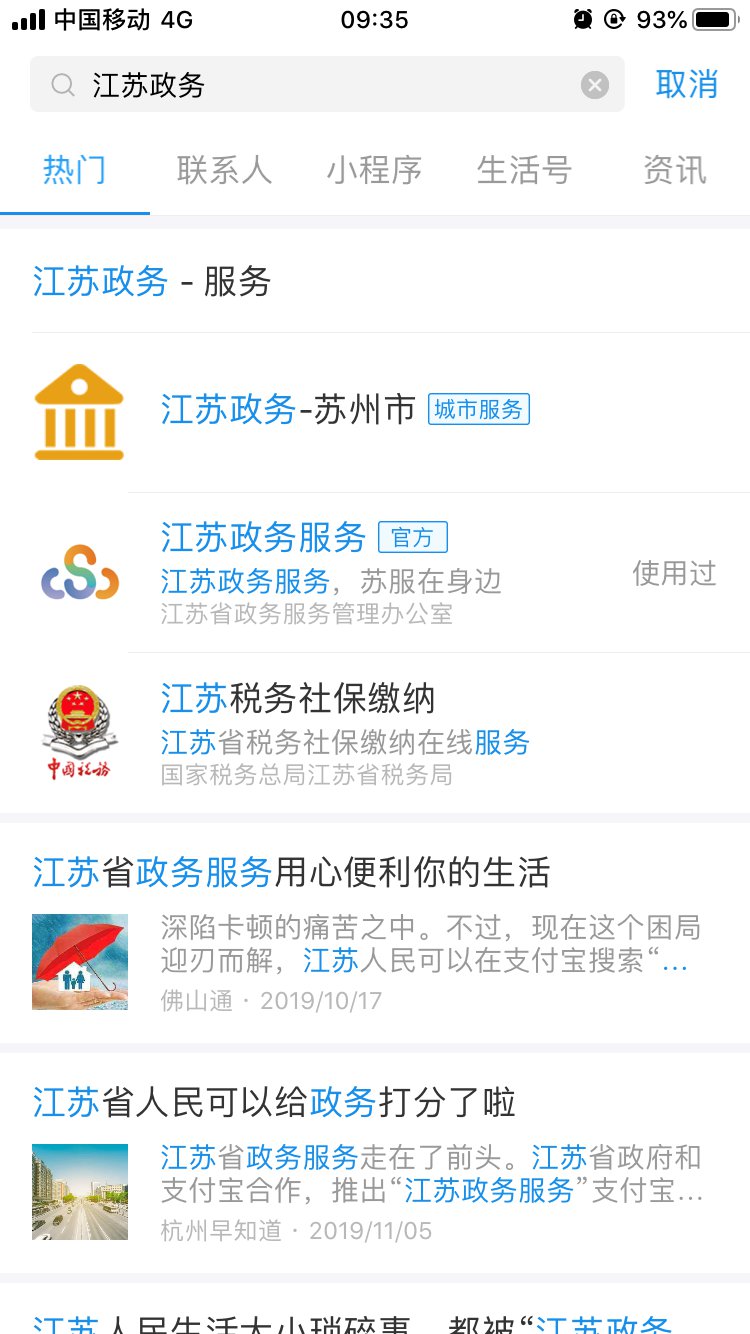
江苏政务服务支付宝小程序,点击“防疫专区”或搜索“苏康码”,进入“苏康码”服务;或者在支付宝首页搜索“苏康码”。
(1)支付宝首页搜索“江苏政务”进入江苏政务服务
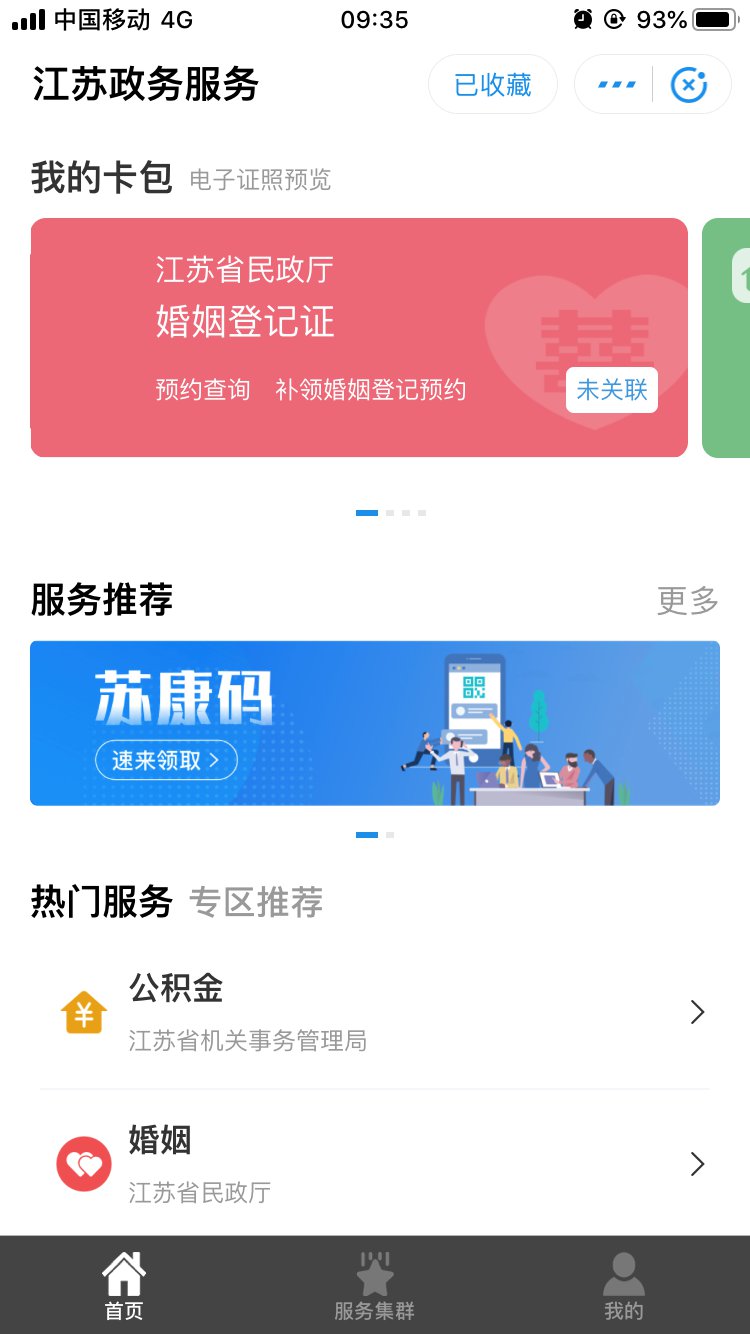
(2)点击进入后,可以在首页看到“苏康码”
(3)点击苏康码进入填写信息
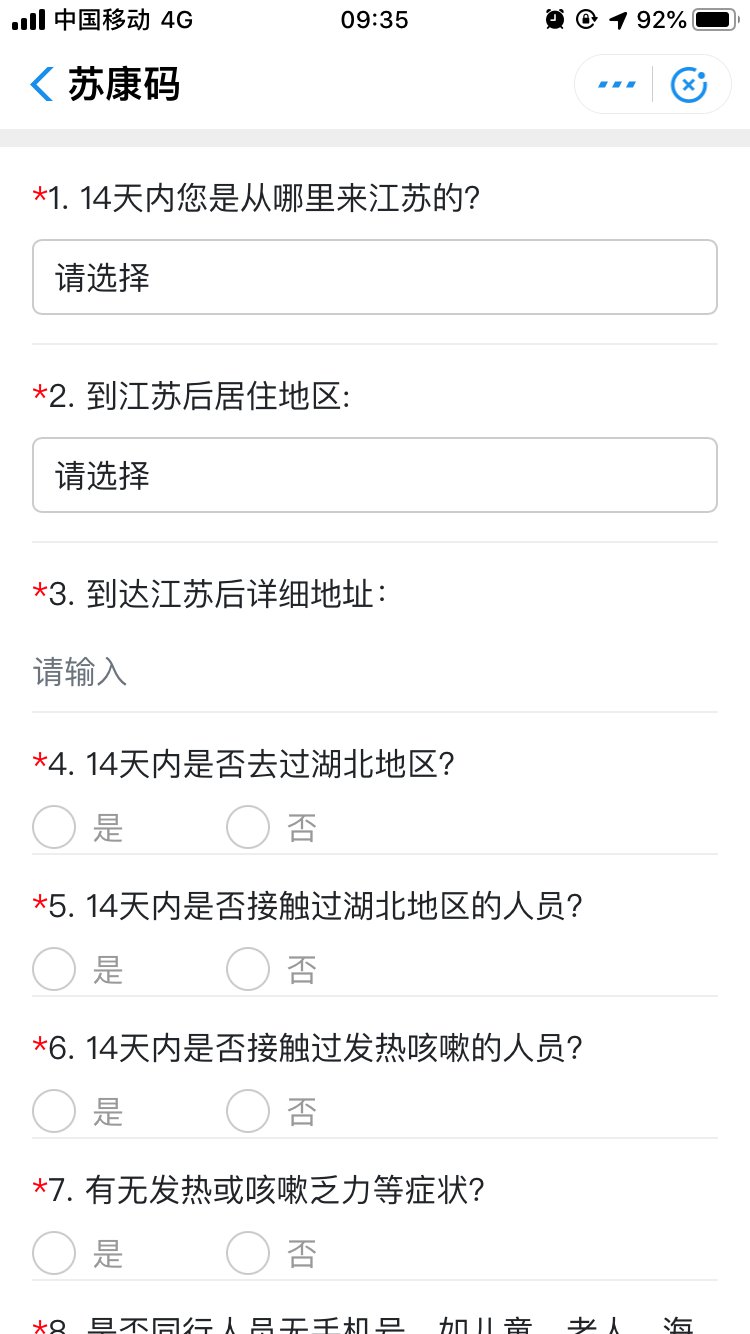
未经过江苏政务服务网实名认证的用户,点击后会跳转到实名认证流程进行认证,认证后继续申报获取“苏康码”。
(4)点击激活领码,生成二维码
>>
>>
提示
社会热点2023-11-25 11:16:04佚名
申请渠道: 支付宝
江苏政务服务支付宝小程序,点击“防疫专区”或搜索“苏康码”,进入“苏康码”服务;或者在支付宝首页搜索“苏康码”。
(1)支付宝首页搜索“江苏政务”进入江苏政务服务
(2)点击进入后,可以在首页看到“苏康码”
(3)点击苏康码进入填写信息
未经过江苏政务服务网实名认证的用户,点击后会跳转到实名认证流程进行认证,认证后继续申报获取“苏康码”。
(4)点击激活领码,生成二维码
>>
>>
提示
苏康码APP领取流程(苏康码 领取)





